
Help
How to book a seat
About a minute from start to ticket. The steps are the same for every concert, play and opera on this site — so once you have done it, you have done it for the season.
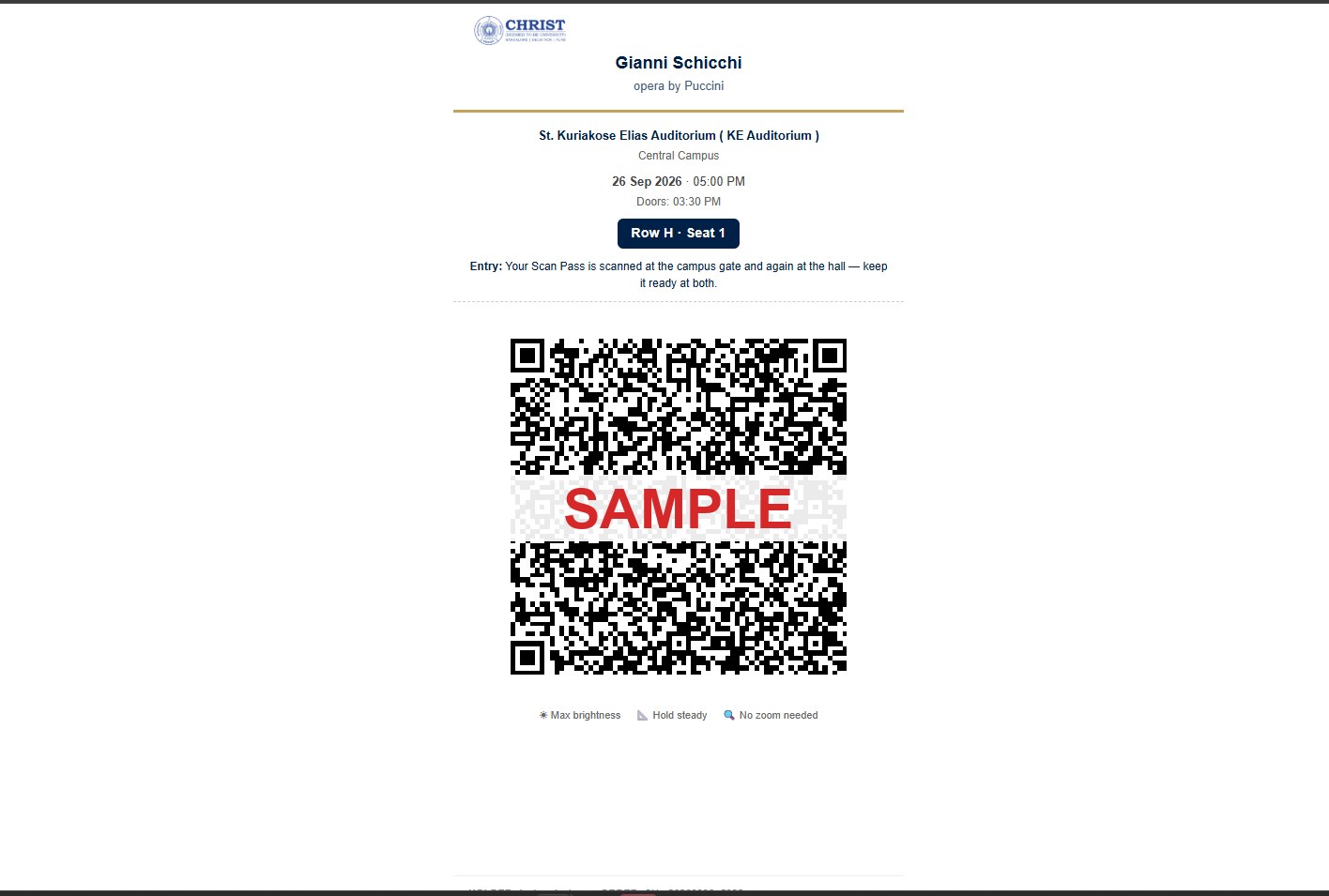
The screenshots below are real, from a test booking. Personal details are masked, and the sample QR code is deliberately broken so it cannot be used.
Booking
- 01
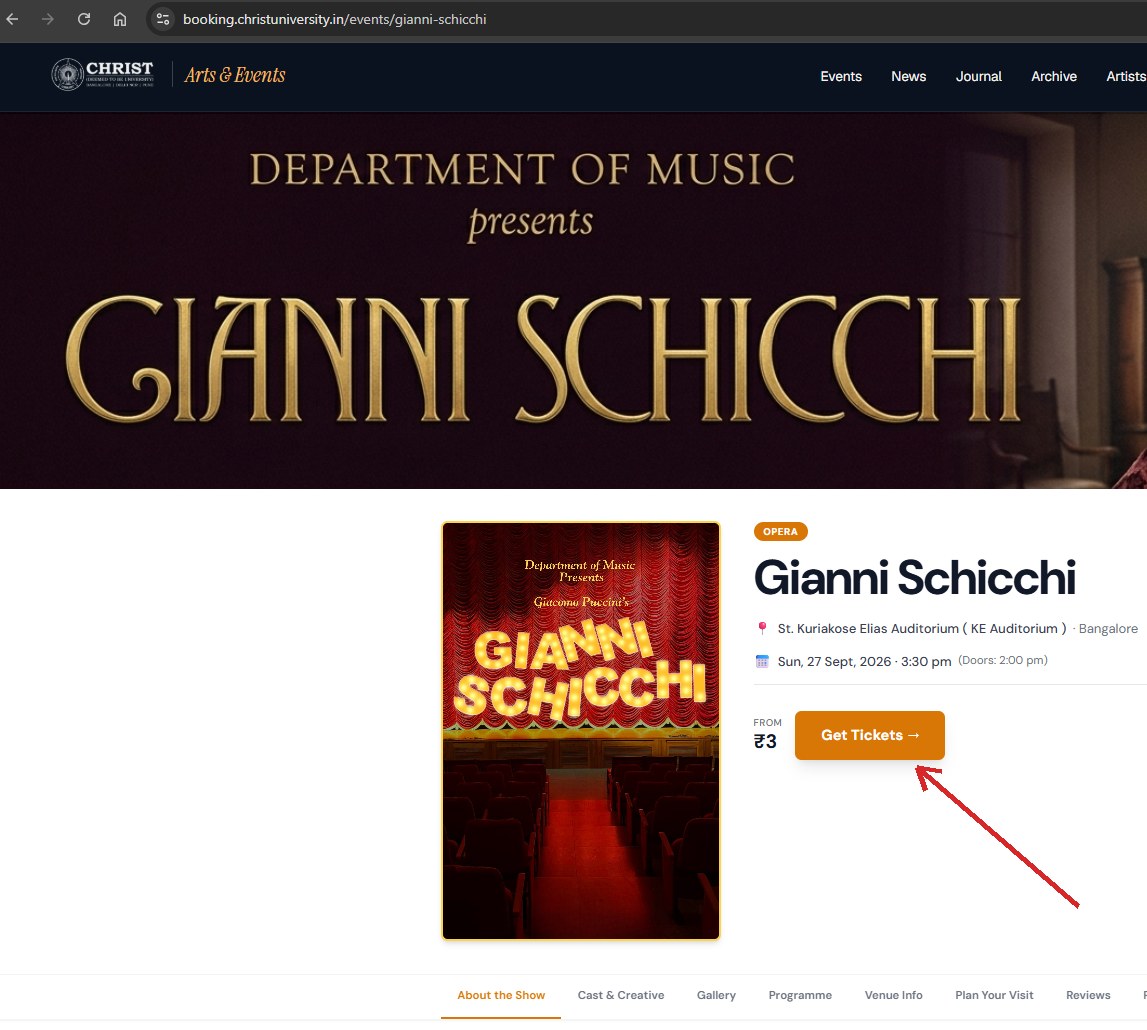
Open the event and press Get Tickets
Every production has one page carrying its dates, venue, cast and programme. The orange button is the way in.
- 02
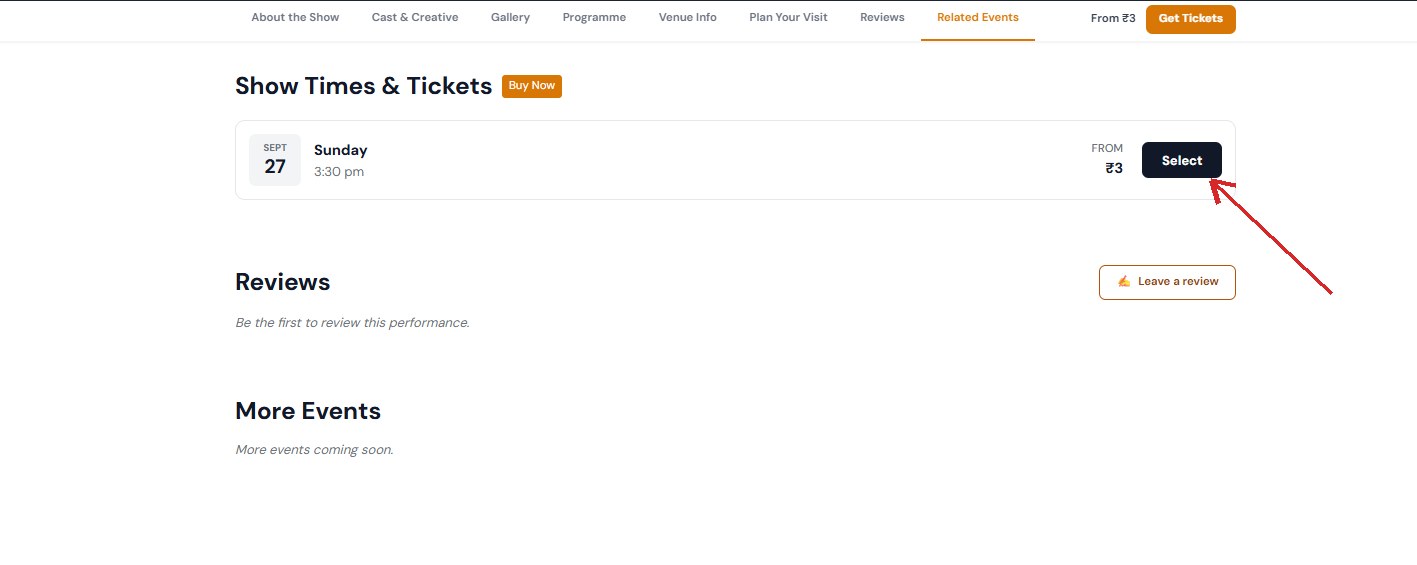
Choose your evening
A production that plays on more than one evening lists them here, because seats are sold per evening. Press Select beside the one you want.
- 03
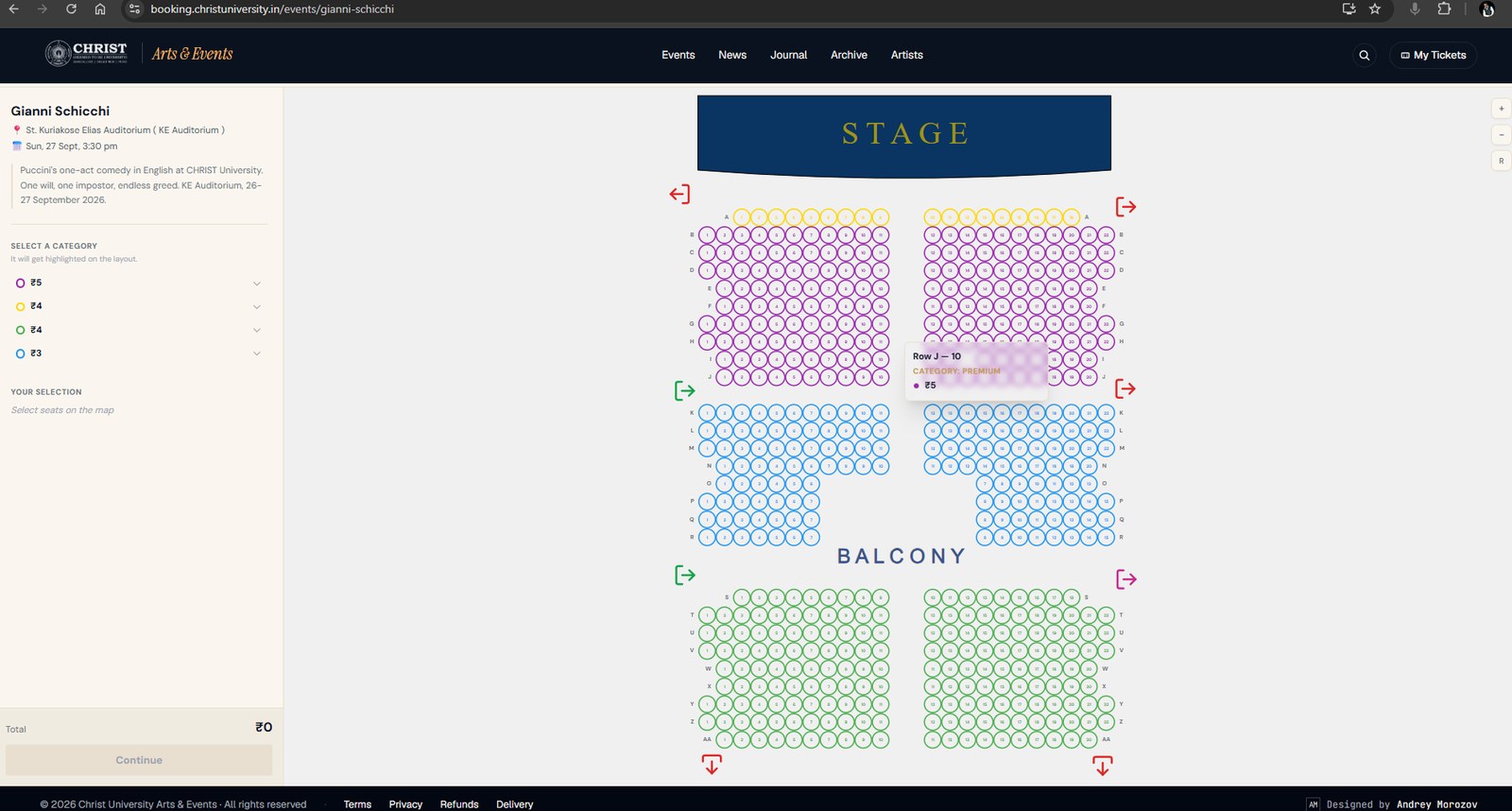
Pick your seat on the hall map
The map is the actual auditorium, seen from the stage. Colours are price categories; hovering a seat shows its row, number and price. What you see is live — a seat that has gone is gone.
- 04
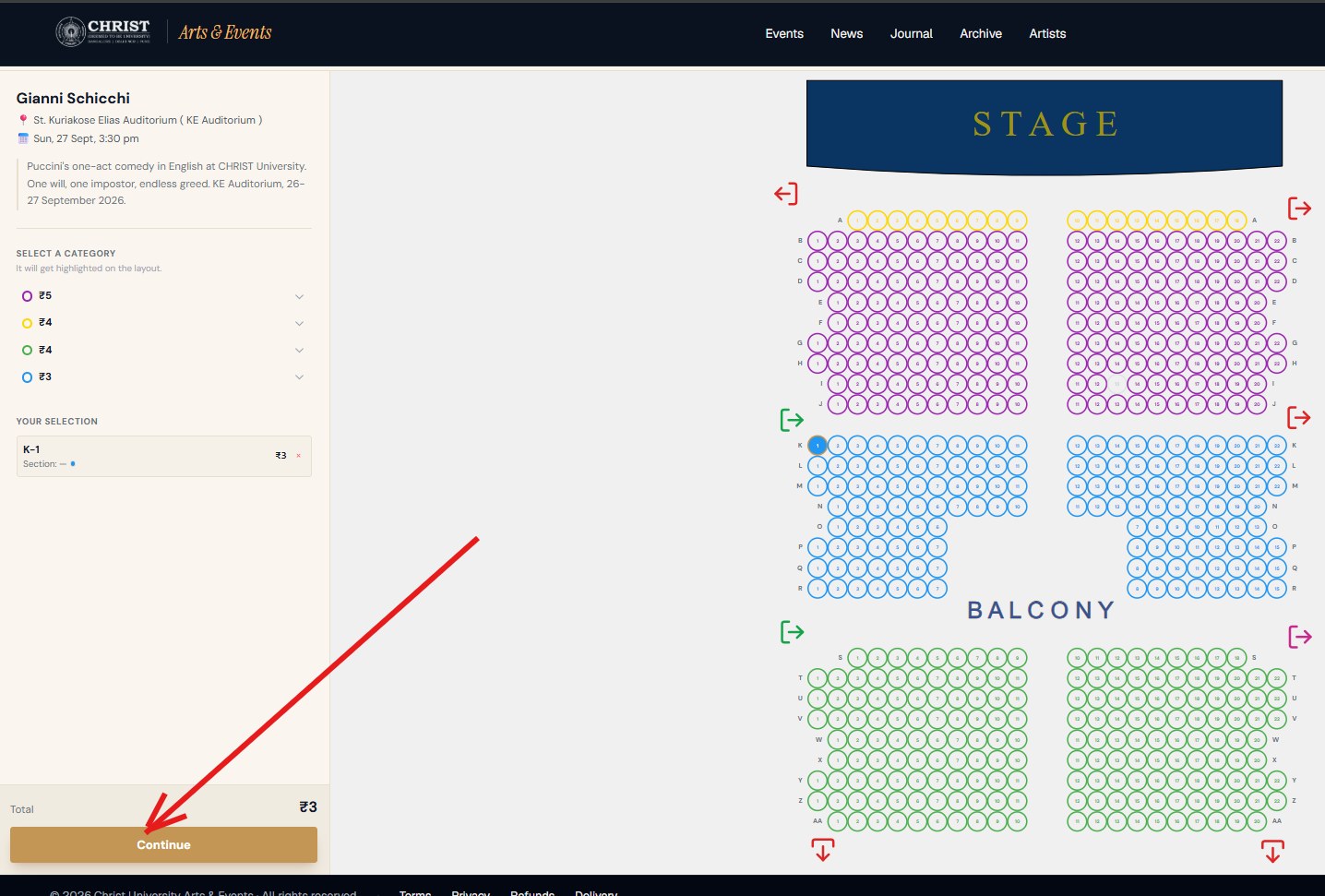
Check your selection and continue
Chosen seats appear in the left column with the total. Take as many as you need in one go — they travel through checkout together, and you will get one ticket per seat.
- 05
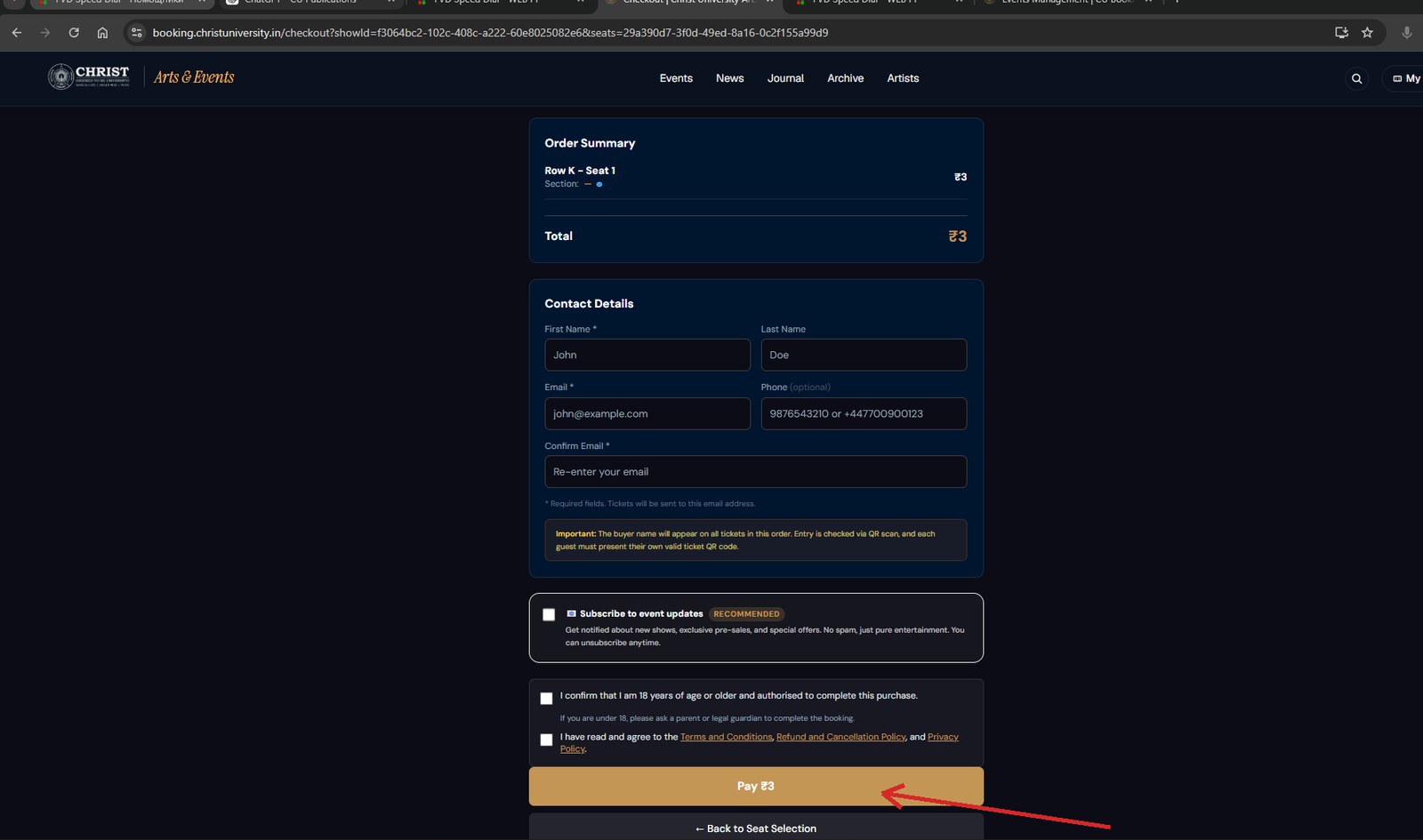
Give us a name and an email address
The tickets go to the address you type here, so check it before paying — that is why we ask for it twice. The phone number is optional.
- 06
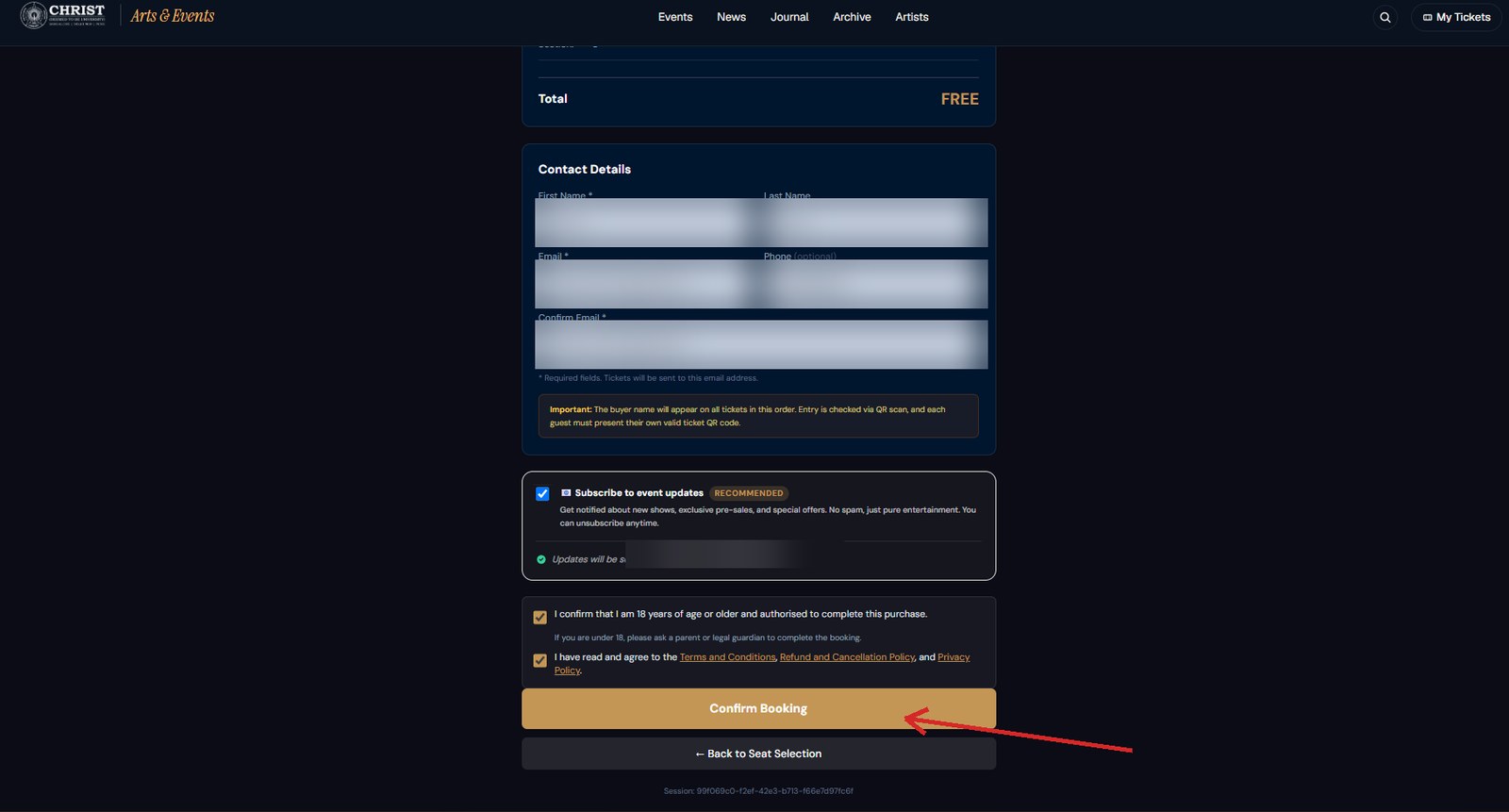
Confirm and pay
Tick the two confirmations and press the button. Payment is online — cards, UPI and net banking all work. Nothing else is required of you after this.
Your ticket
- 07
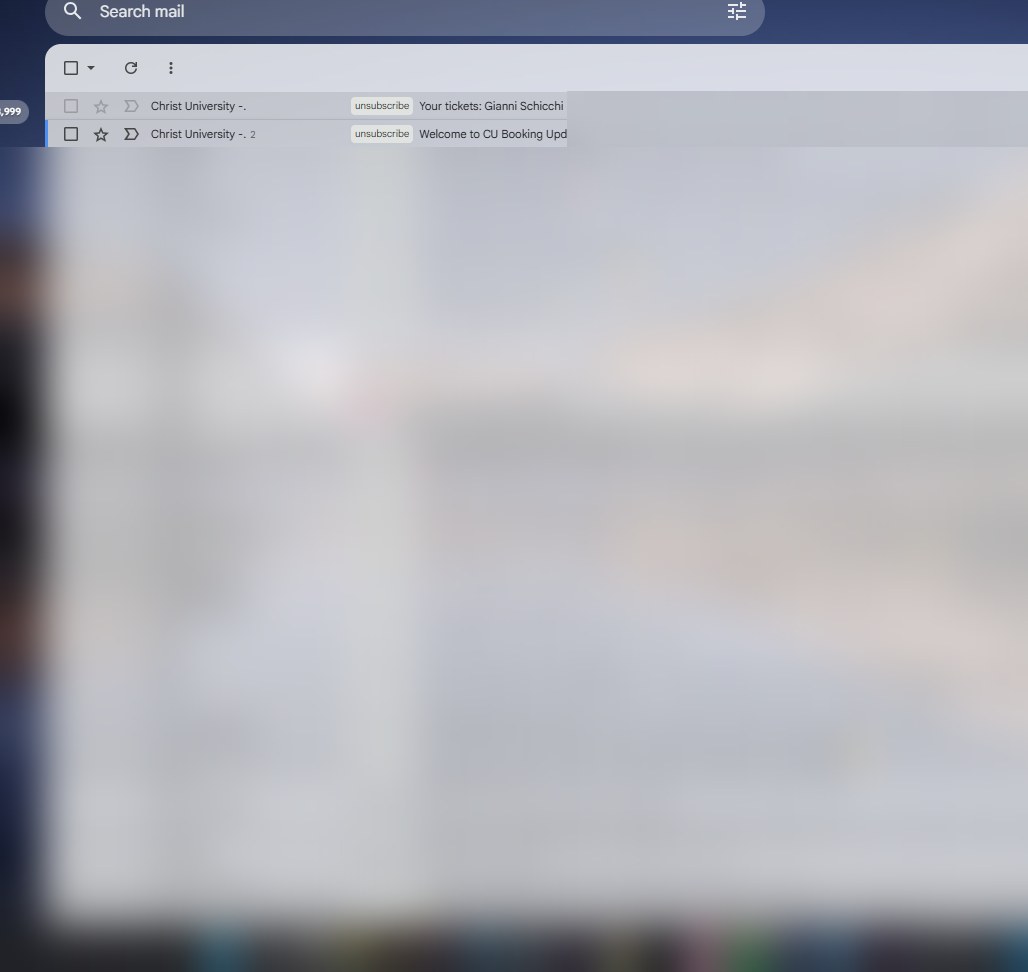
The email arrives
Within a minute, to the address you gave. Subject line: Your tickets. If it is not there, look in the spam folder before you write to us.
- 08
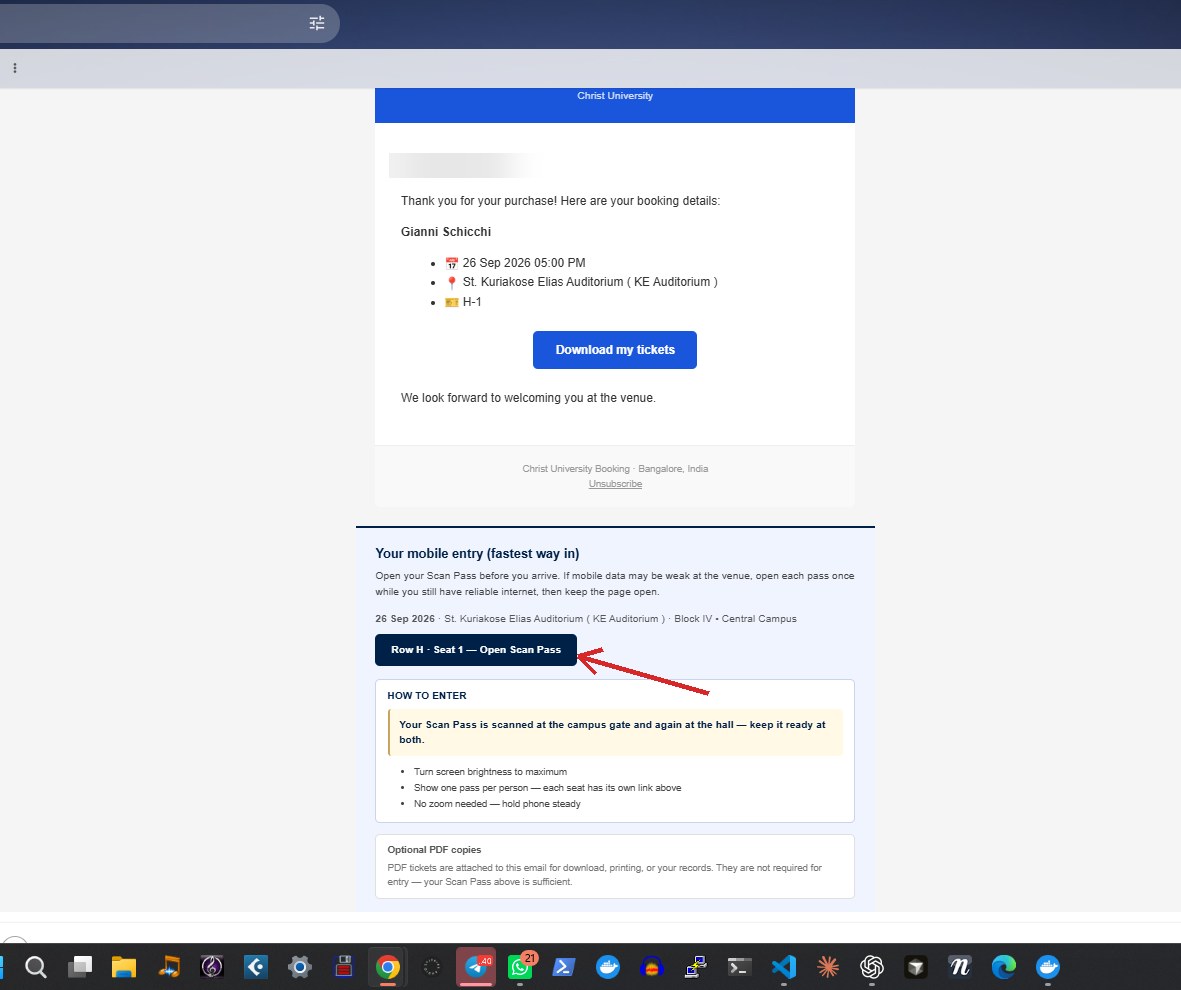
Open it and press Open Scan Pass
The email carries your date, venue and seat, a Download my tickets button for the PDF copies, and — lower down — a dark Open Scan Pass button for each seat. The Scan Pass is the fastest way in; the PDF is only a spare.
- 09
That is your ticket
A page with your seat and a QR code. Nothing needs to be printed, and nothing needs to be downloaded — this screen is what is scanned.
On the night
Open your Scan Pass before you set out. Mobile data can be weak in a crowd at the gate, and a page that is already open needs no signal. Open it at home, keep the tab open, and turn your screen brightness up when you reach the desk. It saves the queue behind you as much as it saves you.
One QR code admits one person. A booking for three arrives as three Scan Passes — one per seat, each with its own link in the same email. Everyone in your party needs their own code open on their own phone; one person cannot walk three people through on one screen.
The email goes to whoever paid. All the tickets for one booking sit in that one email, under that one name — which is normal and expected at the door. If you booked for friends or family, forward each of them their own Scan Pass link before the evening, or open the passes together when you meet.
Come early enough to walk from the campus gate to the hall. Central Campus is large, and performances start on time.
If something goes wrong
- No email. Check the spam folder first. Then write to us — we can send the tickets again to the same address.
- Payment taken, no ticket. Write to us with the email address you used. Nothing is lost: the booking exists on our side.
- Phone dead at the gate. The PDF copies attached to the same email can be printed in advance. Either works.
- Wrong evening booked. Write to us before the performance and we will do what we can.
More answers — refunds, accessibility, getting to the campus — are in the FAQ, and you can always contact us.